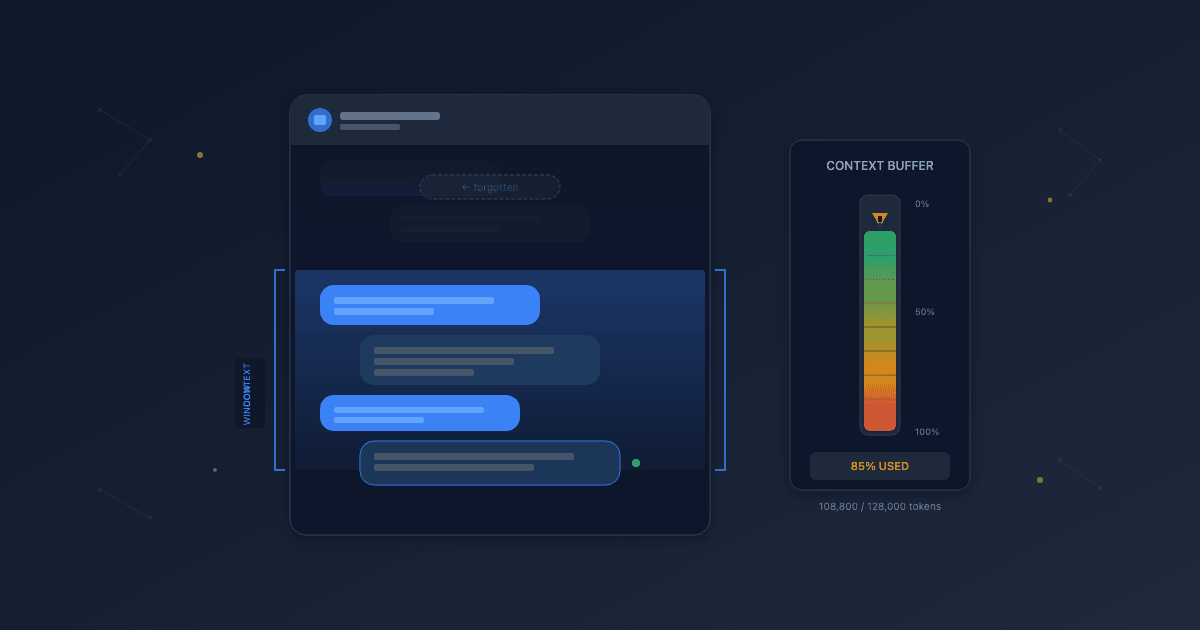
A few weeks ago, I was testing a support chatbot for a client. The conversation started well—I asked about their return policy, got a clear answer, then followed up with questions about shipping times and warranty coverage. Twenty messages in, I referenced something from the beginning: "So to confirm, I can return it within that 30-day window you mentioned?"
The chatbot responded as if we'd never discussed returns. It gave me a generic answer pulled from documentation, with no acknowledgment of our earlier exchange. The conversation had been coherent for fifteen minutes, then suddenly felt like talking to someone with amnesia.
This wasn't a bug. It was a fundamental constraint of how large language models work—something called the context window. Understanding this limit is essential for anyone deploying AI chatbots, because it shapes what's possible in extended conversations.
1. What Is a Context Window?
A context window is the amount of text an AI model can "see" at once when generating a response. Think of it as the model's working memory—everything it can consider while formulating an answer.
This window includes everything: the system instructions that define the chatbot's personality, any retrieved documentation, the full conversation history, and the user's current message. All of it competes for space in the same limited buffer.
Context windows are measured in tokens—roughly three-quarters of a word on average. A model with a 128,000-token context window can process approximately 96,000 words at once. That sounds like a lot, until you account for system prompts, knowledge base content, and a conversation that's been going for a while.
2. How the Attention Mechanism Works
The reason modern chatbots can maintain any conversational context at all traces back to a 2017 research paper with an unusually confident title: "Attention Is All You Need."
Before this paper, AI models processed text sequentially—one word at a time, like reading through a keyhole. The researchers at Google introduced something called the transformer architecture, which allowed models to look at all parts of a text simultaneously and learn which parts relate to which.
The key innovation was the "attention mechanism." When you ask a chatbot about "the return policy you mentioned earlier," attention is what allows the model to connect "the return policy" to a specific passage twenty messages back. It can weigh the relevance of every piece of text in its context window against every other piece.
This paper is arguably one of the most consequential technical developments of the past decade. ChatGPT, Claude, Gemini—every major language model today is built on this transformer foundation. But even transformers have limits, and those limits define what chatbots can remember.
3. Why Context Windows Have Hard Limits
If attention is so powerful, why can't context windows just be infinite? The answer is computational cost.
The attention mechanism compares every token to every other token. Double the context length, and you quadruple the computation required. This quadratic scaling means that processing a 200,000-token context doesn't cost twice as much as 100,000 tokens—it costs roughly four times as much.
Model providers balance capability against cost and speed. Larger context windows mean slower responses and higher operational expenses. A chatbot that takes 30 seconds to respond while considering your entire conversation history isn't necessarily better than one that responds in 2 seconds with the most relevant recent context.
Context windows have grown significantly—from around 4,000 tokens in early models to 128,000 or even 1 million tokens in recent releases. But even a million tokens isn't infinite, and for most production chatbots, practical limits are much smaller due to cost considerations.
4. What Happens When Context Overflows
When a conversation exceeds the context window, something has to go. Different systems handle this differently, but the result is the same: information gets dropped.
The most common approach is truncation—older messages get removed to make room for newer ones. This is why chatbots "forget" earlier parts of long conversations. The model isn't malfunctioning; it literally cannot see those messages anymore.
Some implementations use summarization, condensing earlier conversation into a shorter summary that preserves key points while freeing up tokens. Others prioritize certain types of content—keeping system instructions intact while trimming conversation history.
The practical effect for users is a conversation that starts feeling disconnected. References to earlier topics get confused responses. Context that seemed established needs to be re-explained. The longer the conversation runs, the more likely important details have fallen outside the window.
5. Signs Your Chatbot Is Hitting Context Limits
A few patterns suggest context window issues:
- Forgetting established facts — The user mentioned their account type early in the conversation, but the chatbot later asks for it again or gives advice for the wrong account type.
- Contradicting earlier responses — The chatbot gave one answer to a question, then gives a different answer when the same topic comes up later.
- Losing conversational thread — Multi-step troubleshooting breaks down because the chatbot no longer remembers which steps have already been tried.
- Generic responses replacing specific ones — Early in the conversation, answers referenced specific details the user provided. Later, responses become more generic and documentation-like.
These symptoms tend to appear more often in complex support scenarios—troubleshooting sessions, multi-issue tickets, or conversations where users provide substantial background information upfront.
6. Designing Around Context Limits
Context limits aren't going away, but thoughtful design can minimize their impact:
Encourage focused conversations. Chatbots that handle one issue per conversation tend to perform better than those expected to address multiple unrelated questions in the same session. When possible, suggest starting a new conversation for new topics.
Persist critical information outside the context. User account details, previous ticket history, and key preferences can be stored in a database and injected into each response—ensuring they're never lost to truncation.
Use smart summarization. Rather than simple truncation, periodically compress earlier conversation into a structured summary. "User is troubleshooting login issues. Already tried: password reset, cache clear. Using Chrome on Windows."
Set expectations with users. For long or complex issues, proactive handoff to human support may serve users better than a chatbot struggling to maintain context. Knowing when to escalate is as important as knowing what to automate.
Monitor conversation length. Track which conversations hit context limits and analyze whether those could be handled better with different conversation design or earlier human intervention.
Final Thoughts
Context windows represent a fundamental tradeoff in AI systems—between comprehensive memory and practical performance. The transformer architecture made modern conversational AI possible, but it didn't make it unlimited.
Understanding this constraint helps set realistic expectations. A chatbot that forgets isn't broken; it's operating within boundaries that every AI system shares. The question becomes: how do we design conversations that work well within those boundaries?
We've found that the best chatbot implementations don't try to fight context limits—they design around them. Focused conversations, persistent storage for critical data, and smart escalation paths can deliver excellent user experiences even with finite memory. Combined with techniques for reducing hallucinations, these principles will remain relevant regardless of how large context windows grow.